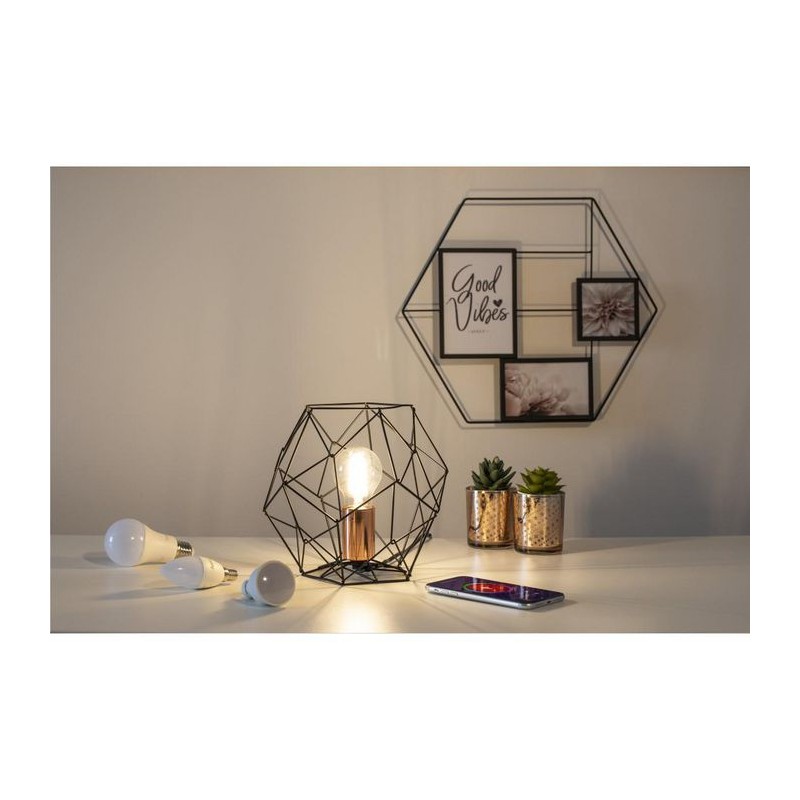
Control the light by app or Alexa. This WLAN lamp fills your four walls with very special mood lighting: bright light for reading or dimmed to set the mood for enjoying a glass of wine at the end of the day. Control your WiFi lamp from the comfort of your couch.
- Our WLAN light bulb works without any gateway (hub): you don't need an additional device, and you save on extra costs since the WLAN lamp establishes a direct WiFi connection with the router - From cosy to active: choose exactly the colour temperature that matches your activities, e.g. warm white for a relaxed evening or daylight for cooking - Step by step to the Smart Home: with the Hama Smart Home app, you can expand and network your smart home with any number of Hama Smart Home products - Be it on the sofa or the train: with the Hama Smart Home app, you can control your WLAN LED lamp from anywhere and you have control over your lighting at all times - Whether it be Amazon Alexa or Google Assistant: conveniently control all kinds of lighting effects via the smart lamp using voice commands
Smart light control with the WLAN LED lamp in candle shape: create illumination, effect lighting or special lighting ambiences easily with app or voice control, e.g. dim or change the colour temperature
Simple installation on your own WiFi network: since no hub is required, your devices can be set up in just a few minutes
High compatibility: works with Amazon Alexa, Google Assistant, iOS and Android. Can also be connected to all Alex and Google Assistant-compatible smart home products from other manufacturers
Timer control: you define in the app when the WLAN bulb is to switch on and off, for example
With the devices integrated into your WLAN, groups or scenes can be created, e.g. the smart LED lamp can be linked to a motion detector
This means that you can save energy with the targeted control of your lighting including - usefully - while out and about, if you have forgotten to switch the light off. That's because you are always kept up to date about the current status via the app or push notification