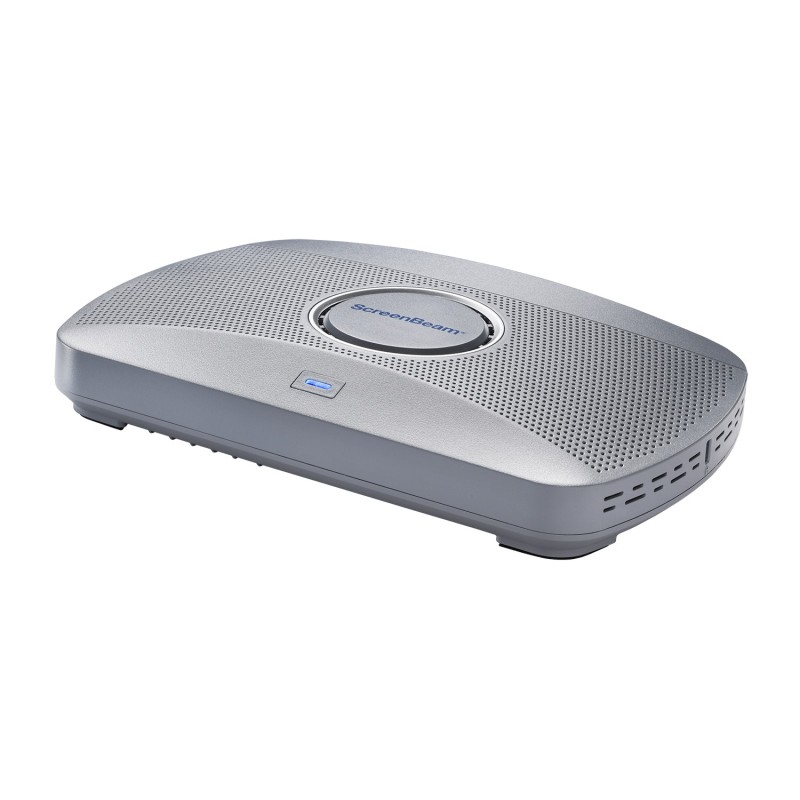
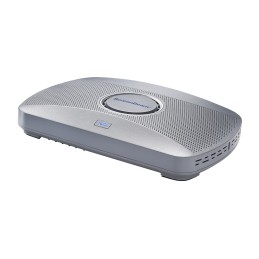
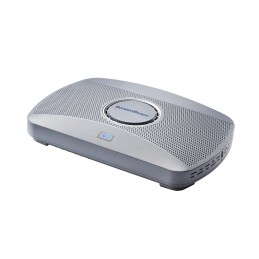
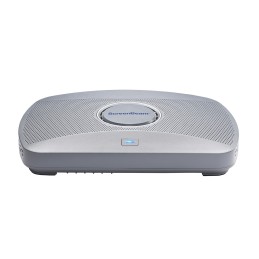
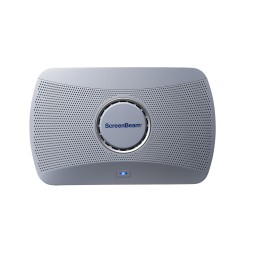
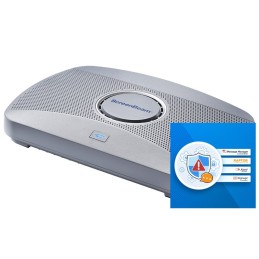
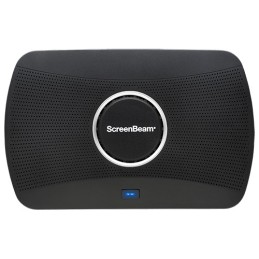
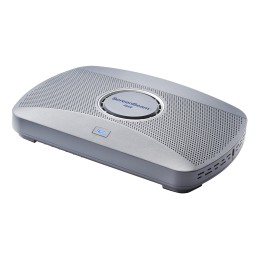
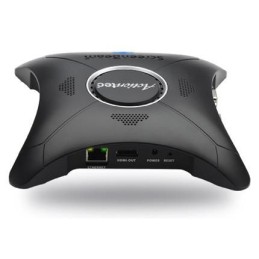
ScreenBeam 1000 EDU Gen 2 + Instructional & Administrative Tools Bundle combines the award-winning ScreenBeam 1000 EDU Gen 2 wireless presentation platform with built-in instructional tools for interactive teaching and a 3-year subscription to ScreenBeam Administrative Tools — Signage+, Alert+, and Message Manager.
The bundle builds on the core ScreenBeam 1000 EDU Gen 2 classroom presentation experience by adding instructional tools that support annotation, whiteboarding, and classroom interaction, along with administrative tools that enable digital signage, non-emergency messaging, and emergency alerts. Together, they create a complete instruction and communication platform for K–12 education environments.
ScreenBeam 1000 EDU Gen 2 is purpose-built for K–12 classrooms, delivering secure, app-free wireless display with native support for Miracast, AirPlay, and Google Cast. Designed to be intuitive for teachers and students, it enables fast content sharing and interactive instruction without cables, dongles, or complex setup.
With Instructional and Administrative Tools, classroom displays support both teaching and communication — from interactive lessons to school-wide announcements and safety notifications — without relying on personal devices or third-party systems.
ScreenBeam Instructional Tools BundleInstructional Tools (ScreenBeam Orchestrate)ScreenBeam Instructional Tools support interactive teaching and collaborative learning in K–12 classrooms.
Orchestrate (Classroom Management): Gives teachers real-time visibility into student screens and the ability to moderate and control student sharing to the classroom display
Active Learning: Gives teachers real-time visibility into student screens and the ability to moderate and control student sharing to the classroom display
App-less and dongle-less screen mirroringScreen sharing from any device without the need to download an app or keep dongle nearby. ScreenBeam leads with OS-native Wi-Fi Miracast, AirPlay and Google Cast for familiarity and mitigate user training.
Extended desktopWindows and macOS users can mirror desktop or extend screen to ensure content privacy.
Touch display supportWindows users can markup content directly on room displays, instantly capturing changes in Microsoft Office 365 applications.
Integrated WhiteboardAn integrated Whiteboard application enables a collaborative experience that launches directly from the interactive flat panel display without changing sources, pushing buttons or re-connecting to the display.
Name Picker & TimerTools frequently used by teachers to help engage students, randomly select students and time projects and tasks. These integrated applications are available for classrooms with IFP display.
Orchestrate (Lite)Basic orchestration capabilities for Windows and Chromebooks. Teachers can easily and securely preview and approve student screen sharing for a moderated experience.
Multi-viewTeachers can display up to four student device screens simultaneously making it easy for classroom collaboration and discussion.
Signage PlayerIdle displays in classrooms and meeting spaces can be optimized to convey information with integrated HTML-based digital signage capability.
Centralized ManagementScreenBeam CMS Enterprise included for monitor, manage, and update.
GhostInkingGhostInking is ScreenBeam’s patented technology that eliminates wireless inking lag, delivering instant, natural handwriting on any interactive display connected wirelessly to a Windows device—no apps, cables, or proprietary tools. It enables a true pen-to-paper experience for seamless collaboration.
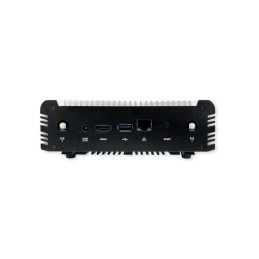
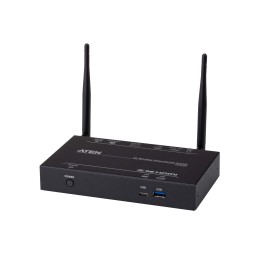
ScreenBeam Edu Gen2 inc 3 Years Administrative & Instructional Tools & 3 Year Warranty. Form factor: Desktop, Product color: White, Certification: FCC, RED, RoHS, UL. Wi-Fi standards: Wi-Fi 5 (802.11ac), Top Wi-Fi standard: Wi-Fi 5 (802.11ac), Ethernet LAN data rates: 10,100,1000 Mbit/s. Interface: HDMI + USB Type-A. Power source type: DC, Input voltage: 12 DC, Input current: 3 A. Windows operating systems supported: Windows 10, Windows 11, Mac operating systems supported: Mac OS X 11.0 Big Sur, Mac OS X 12.0 Monterey, Mac OS X 13.0 Ventura, Other operating systems supported: ChromeOS
| Form factor | Desktop |
| Product color | White |
| Certification | FCC, RED, RoHS, UL |
| AirPlay mirroring | Yes |
| Miracast | Yes |
| Google Cast | Yes |
| Wi-Fi standards | Wi-Fi 5 (802.11ac) |
| Top Wi-Fi standard | Wi-Fi 5 (802.11ac) |
| Dual-band | Yes |
| Bluetooth | Yes |
| Ethernet LAN | Yes |
| Ethernet LAN data rates | 10,100,1000 Mbit/s |
| Cabling technology | 10/100/1000Base-T(X) |
| Networking standards | IEEE 802.1x |
| Supported network protocols | IEEE 802.1x, WPA-PSK (TKIP), WPA2-PSK (AES), PEAP-MSCHAPv2, EAP-TLS |
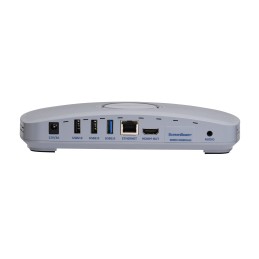
| Interface | HDMI + USB Type-A |
| Number of HDMI outputs | 1 |
| Ethernet LAN (RJ-45) ports | 1 |
| USB 2.0 ports quantity | 2 |
| USB 3.2 Gen 1 (3.1 Gen 1) Type-A ports quantity | 1 |
| 3.5 mm (1/8-inch) out | Yes |
| DC-in jack | Yes |
| Power source type | DC |
| Input voltage | 12 DC |
| Input current | 3 A |
| Power consumption (max) | 24.8 W |
| Power consumption (typical) | 8.4 W |
| Windows operating systems supported | Windows 10, Windows 11 |
| Mac compatibility | Yes |
| Mac operating systems supported | Mac OS X 11.0 Big Sur, Mac OS X 12.0 Monterey, Mac OS X 13.0 Ventura |
| Other operating systems supported | ChromeOS |
| Mobile operating systems supported | Android 8.0, Android 8.1, Android 9.0, iOS 13, iOS 13.4, iOS 14, iOS 14.5, iOS 15, iOS 16 |
| Operating temperature (T-T) | 0 - 40 °C |
| Operating relative humidity (H-H) | 20 - 80% |
| Storage temperature (T-T) | 20 - 85 °C |
| Storage relative humidity (H-H) | 10 - 90% |
| Width | 8.66" (220 mm) |
| Depth | 5.67" (144 mm) |
| Height | 1.48" (37.5 mm) |
| Weight | 16 oz (453.5 g) |
| Cables included | HDMI |